Adding a Fundraising Thermometer to Your Website
Every overall goal comes with embed code that puts its progress on your own website. It shows the current total each time someone loads the page, so you never have to update it by hand.
Choosing a style
There are three styles. All of them use your goal's colour, which you can set to your school colour in the goal's Details card.
| Style | Best for |
|---|---|
| Thermometer | A sidebar or a dedicated fundraising page. The classic school fundraising look. |
| Progress bar | A wide strip across a home page or newsletter archive page. |
| Percent ring | A small square space, or when you want the percentage to stand out. |
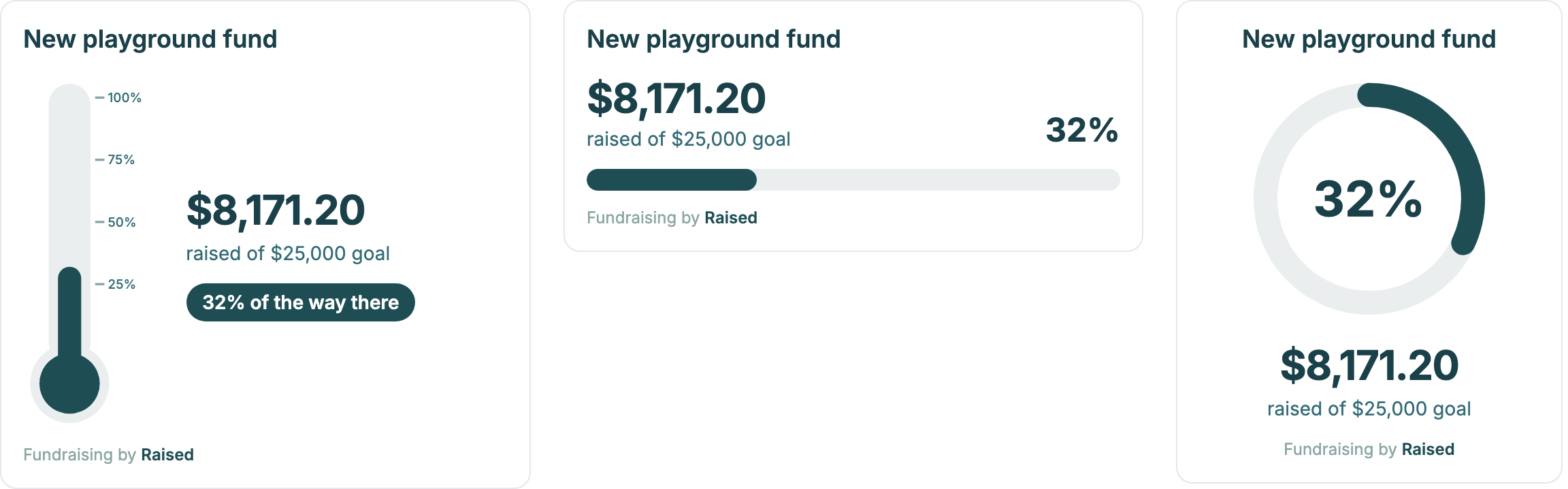
You can also untick:
- Show dollar amounts to show only the percentage, for example if you would rather not publish the dollar figure.
- Show goal name if your page already has a heading above the widget.
Copying the embed code
- Go to Overall Goals and open your goal.
- In the Share and embed card, choose a style and your options. The preview shows what visitors will see.
- Click Copy next to the embed code.
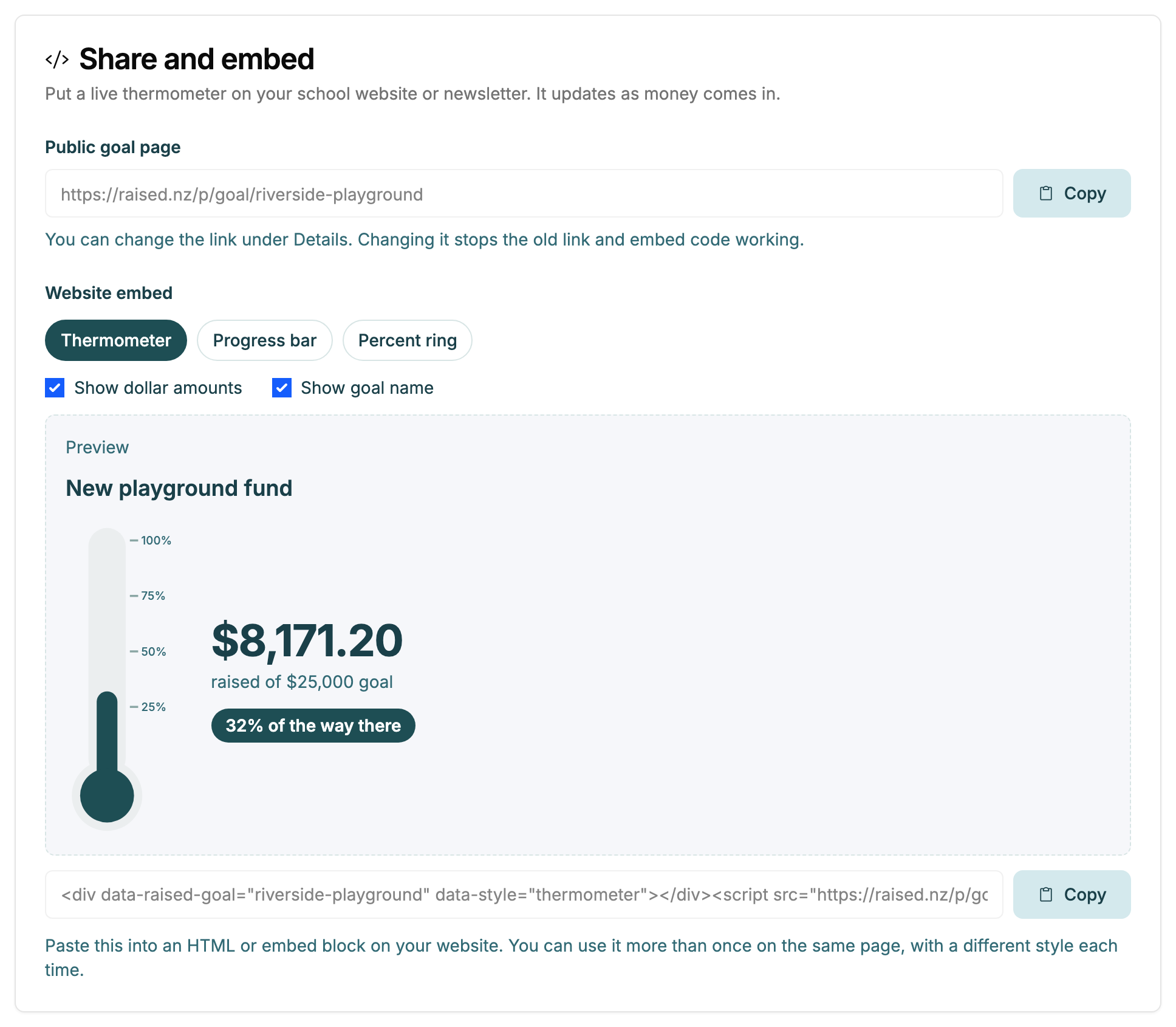
The code is two lines: a placeholder and a script.
<div data-raised-goal="new-playground-fund" data-style="thermometer"></div>
<script src="https://raised.nz/p/goal-embed.js" async></script>
Pasting it into your website
Paste the code into a block that accepts HTML code, where you want the widget to appear.
| Site builder | Where to paste it |
|---|---|
| Wix | Add an Embed code element, choose Embed HTML, and paste the code. |
| Squarespace | Add a Code block and paste the code. |
| WordPress | Add a Custom HTML block and paste the code. |
| Google Sites | Choose Insert, then Embed, then the Embed code tab, and paste the code. |
| Other builders | Look for a block called Code, HTML or Embed. |
Some website builders only allow scripts on paid plans. If yours strips the code out or shows nothing, check your plan's help pages for "custom code" or "JavaScript". You can always link to your public goal page instead.
The widget fits the width of the block you put it in and sets its own height.
More than one widget on a page
You can paste the code more than once on the same page, with a different style each time. For example, a thermometer in the sidebar and a progress bar at the top. You only need the <script> line once, but leaving it in twice does no harm.
Places the embed will not work
Emails, school newsletters sent by email, and social media posts cannot run scripts, so the widget will not show there. Share the link to your public goal page instead.
If the widget stops showing
- You changed the goal's link. Embed code made before the change stops working. Copy the new code and paste it again.
- The goal was deleted. A deleted goal's embed shows nothing.
- Your site builder removed the script. Open the block again and check both lines are still there.