Sharing Your Public Goal Page
Each overall goal has its own page that anyone with the link can open. It is the easiest way to share your progress in an email newsletter, a text to parents, or a social media post, where an embedded thermometer cannot run.
What the page shows
- Your organisation's name, the goal name and its description.
- A thermometer with the amount raised, the target and the percentage.
- Under Help us get there, a link to each linked campaign, so supporters can go straight to one and give or order.
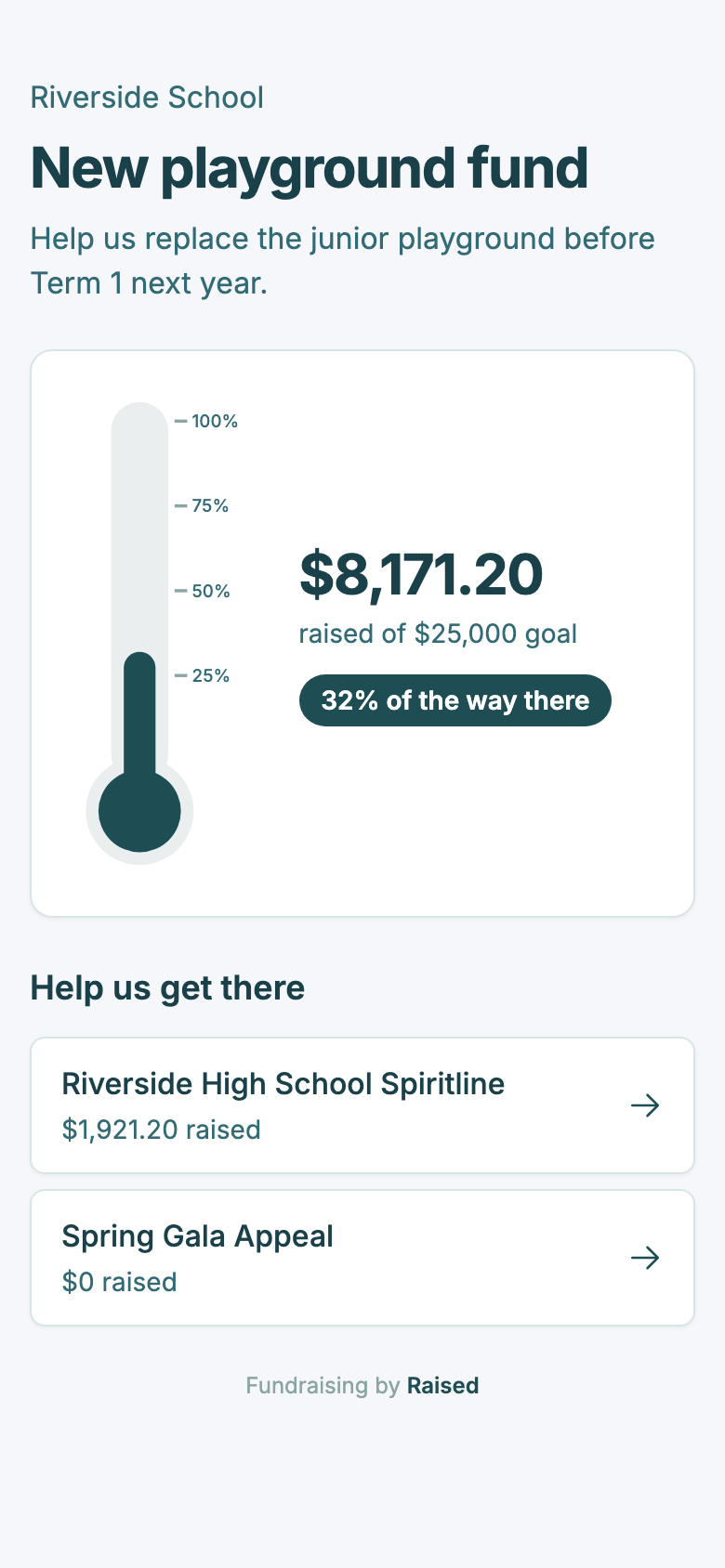
A campaign's amount raised is only listed if that campaign shows its amount raised on its own page. Private campaigns still count towards the total but are not listed.
Finding the link
Open your goal and look under Public goal page in the Share and embed card. Click Copy to copy the link. It looks like raised.nz/p/goal/new-playground-fund.
Choosing your own link
The end of the link comes from your goal's name when you create it. To change it, edit Link in the goal's Details card and click Save changes. Use lowercase letters, numbers and hyphens, between 3 and 60 characters, such as riverside-playground.
Each link can only be used by one goal on Raised. If someone already has it, you will see "That link is already taken", so try adding your school's name or the year.
When you change the link, the old one stops working straight away, and so does any embed code that uses it. Share the new link and paste the new embed code into your website. This is also what to do if a link has been shared somewhere it should not have been.
Hiding the campaign list
If you would rather the page showed only the thermometer, tick Hide the campaign list on the public goal page in the goal's Details card and click Save changes. The campaigns still count towards the total.
Search engines
The goal page is not listed in search engines. Bear in mind that a short, simple link like playground is easy to guess, so anyone could open it. The page only shows your total and the campaigns that are already public, but choose a less obvious link if you would rather keep it among your community.