Adding Money Raised Offline to a Goal
Not every dollar comes in through Raised. A mufti day collected in cash, a sausage sizzle, a grant from the Board of Trustees or a local business sponsorship can all count towards your overall goal as a manual donation.
Adding a manual donation
- Go to Overall Goals and open your goal.
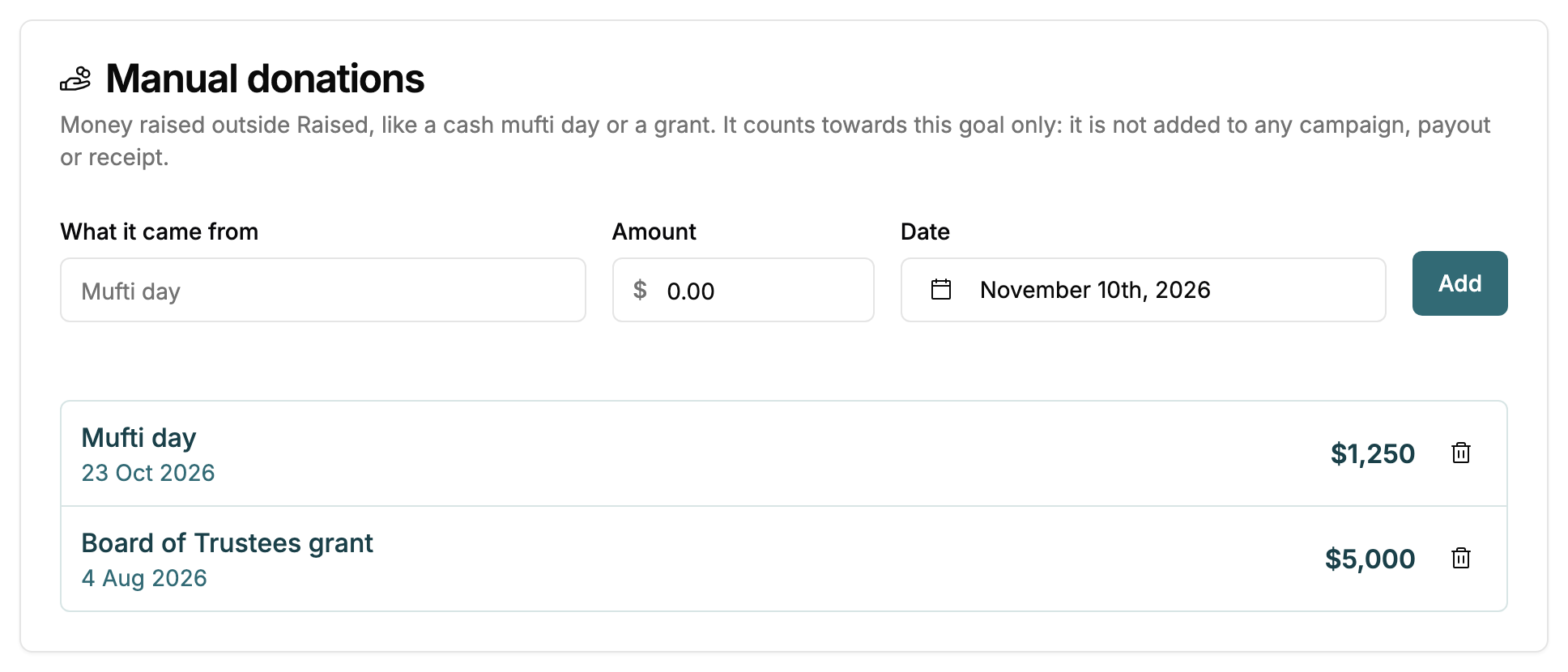
- In the Manual donations card, enter What it came from, such as "Mufti day".
- Enter the Amount and the Date the money came in.
- Click Add.
The donation appears in the list below the form and the goal's total goes up straight away.
What a manual donation does and does not do
A manual donation counts towards the goal and nothing else.
- It is not added to any campaign, so campaign pages, Campaign Earnings and campaign reports are unchanged.
- It is not paid out and carries no fees, because the money never goes through Raised.
- No receipt or email is sent to anyone.
- What you type in What it came from is only shown in your dashboard. The public page and embed show the combined total, not each donation.
If you want cash to count towards a particular campaign as well, record it on the campaign instead, as a manual contribution or manual order. It then counts towards the goal automatically if the campaign is linked. Do not record the same money in both places, or it will be counted twice.
Removing a manual donation
Click the bin icon next to the donation. It stops counting straight away.
Who can add manual donations
Owners, Admins and Managers can add and remove manual donations. Read-only members can see them.